 Start 7-day free trial
Tag faces on Windows
Name people on this PC and search them later.
Windows photo organiser
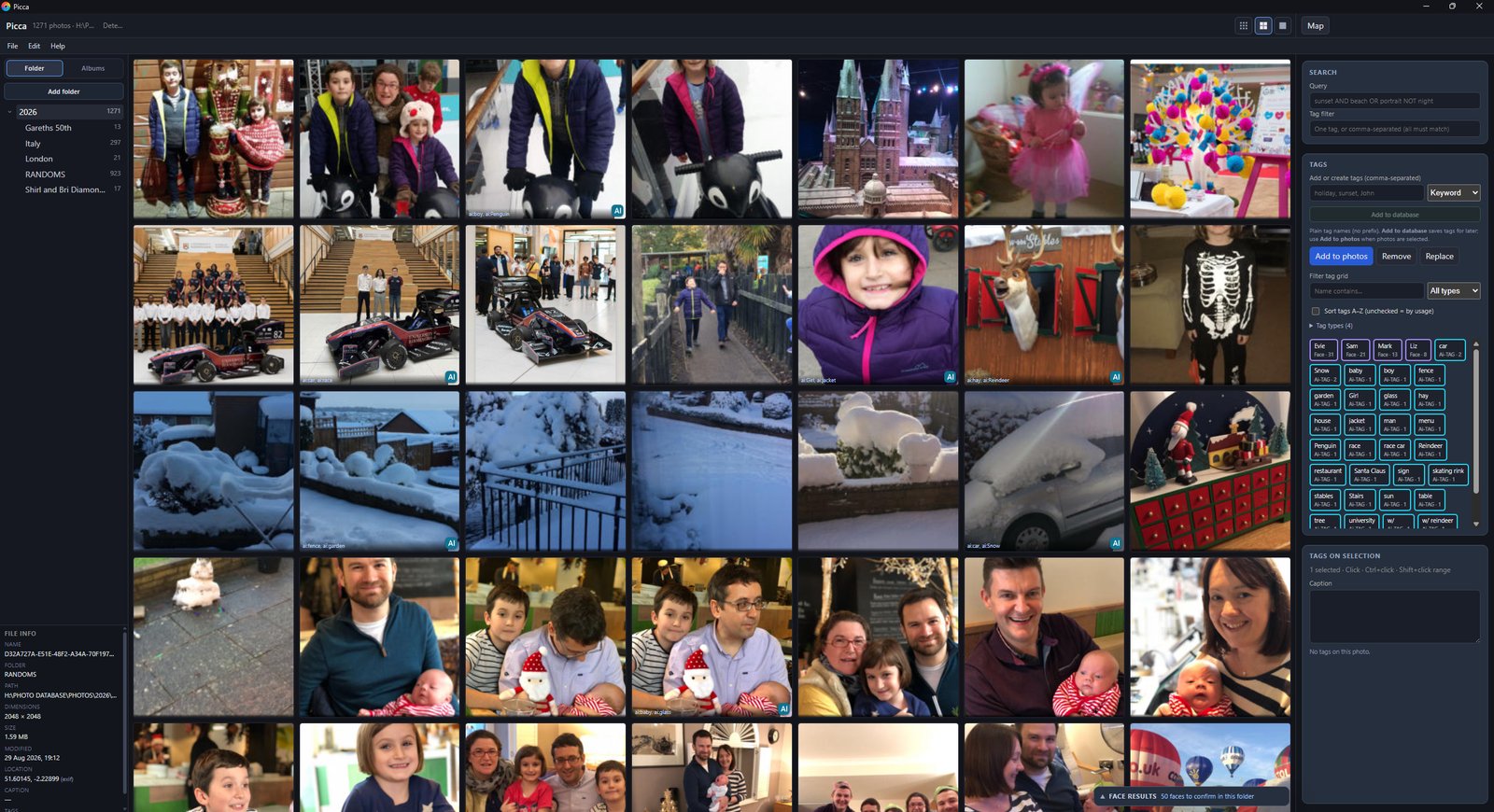
Picca is a Windows photo organiser that indexes the folders you already keep. You tag, search and map pictures locally. There is no Picca cloud account and no subscription.
The trial is the complete app. Buy once on the Microsoft Store when you are ready.
How it works
Typical cloud photo apps want you to upload the library. Picca does the opposite: you point it at a folder. Thumbnails and the catalogue live beside that folder on disk, so you can back them up like any other files.
If you also need people search, duplicate finding or iPhone HEIC files, those are covered in the other guides.
Picca vs Google Photos
Google Photos is a cloud backup. Picca is a desktop catalogue for the folders already on your PC. No Google account, no storage meter, no subscription.
| What you get | Picca | Google Photos |
|---|---|---|
| Where photos live | On your PC, in your folders | Uploaded to Google’s servers |
| Who holds the library | You. One local SQLite catalogue you can back up | Google. The catalogue is their product |
| Account | None | Google account required |
| Price | £9.99 once | Free compressed quota, then Google One storage fees |
| Subscription | No | Yes, once you outgrow the free allowance |
| Internet required | No — the library works offline | Yes, for the cloud library |
| Search | Boolean AND / OR / NOT across tags, captions, dates and files | Google’s automatic labels; you do not run boolean over your own keyword system |
| Tagging | Keyword, people and place tags you control, including bulk edits | Limited; Google decides most of the labels |
| Face names | Detected and named on this PC | Processed in Google’s cloud |
| Map and geotagging | Map view; drag photos to assign a place | Shows GPS that is already in the cloud copy |
| Duplicates and look-alikes | Identical copies and visual similar-photo search | Basic cleanup; not a local duplicate tool |
| Files stay in place | Yes — nothing is imported into a silo | The upload is the library; your folders are not |
| Sharing | Optional browse-only server on your Wi‑Fi | Public or account links on Google’s servers |
| Try it | 7-day full trial on the Microsoft Store | Sign in with Google |
Questions
No. You choose a folder on your PC. Picca does not copy or upload your files. Optional extras such as map tiles or a one-time local AI model download do not send your library to a Picca cloud.
No. Picca is a one-time Microsoft Store purchase at £9.99, with a fully working 7-day trial.
Windows 10 and Windows 11. Picca is a desktop app, not a phone app.
Use Picca on your own photo library, then buy once if you keep it.
 7-day free trial · then £9.99 once